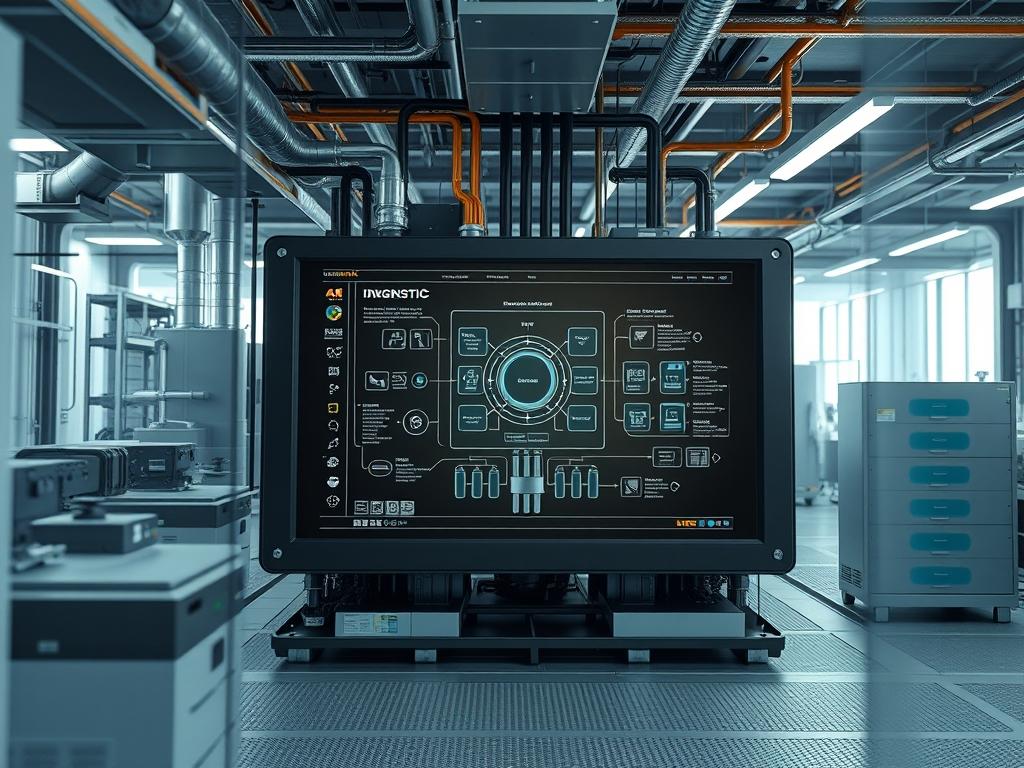
Uninterruptible Power Supply (UPS) double conversion technology represents the most robust methodology for isolating critical infrastructure from utility power anomalies. Within a modern cloud or network infrastructure stack, the double conversion process (VFI – Voltage and Frequency Independent) serves as a primary gatekeeper for power quality. It operates by converting AC input to DC through a rectifier, then reconstructing a pristine AC output via an inverter. This two-stage process ensures that the load is entirely decoupled from the raw utility feed; therefore, protecting sensitive silicon from voltage sags, surges, and frequency fluctuations. The primary challenge involves optimizing ups double conversion efficiency to minimize thermal waste without compromising the galvanic isolation. High-density data centers require precise power factor correction (PFC) to reduce the overhead on upstream transformers. By maintaining a near-unity power factor, the system maximizes active power delivery and minimizes the reactive power component, which otherwise increases signal-attenuation and copper losses in the electrical distribution network.
TECHNICAL SPECIFICATIONS
| Requirement | Default Port/Operating Range | Protocol/Standard | Impact Level (1-10) | Recommended Resources |
| :— | :— | :— | :— | :— |
| Efficiency (Online) | 92.5% to 97.2% | IEC 62040-3 | 10 | 12kW to 1MW Load |
| Input Power Factor | 0.98 to 0.99 (Unity) | IEEE 519 | 8 | Active PFC Circuitry |
| THD (Voltage) | < 3% Linear Load | IEC 61000-3-2 | 7 | Output Filter Bank |
| SNMP Monitoring | Port 161 (UDP) | SNMP v3 / MIB-II | 6 | 512MB RAM / 1vCPU |
| Switching Frequency | 10kHz to 20kHz | VFI-SS-111 | 9 | IGBT Gate Drivers |
| Heat Dissipation | 400 to 600 BTU/Hr/kW | ASHRAE TC 9.9 | 9 | Static/Forced Air |
THE CONFIGURATION PROTOCOL
Environment Prerequisites:
1. Compliance with NEC Article 702 for optional standby systems and IEEE 519 for harmonic control.
2. A Linux-based management host running Ubuntu 22.04 LTS or RHEL 9 with Network UPS Tools (NUT) installed.
3. User permissions: sudo access for service manipulation; dialout group membership for serial/USB interface communication.
4. Hardware: Minimum 3-phase 480V or single-phase 208V/240V industrial feed depending on the chassis scale.
Section A: Implementation Logic:
The engineering design of double conversion systems prioritizes the “Rectifier-Inverter” chain to achieve zero transfer time to battery. Unlike Line-Interactive systems, the double conversion topology treats the AC grid as a mere energy source to build a DC bus. This design is idempotent in its output regardless of input volatility. The payload of energy is filtered through massive capacitor banks, which provide significant thermal-inertia and electrical buffering. This encapsulation of the load within a controlled AC waveform eliminates latency during utility failure. High efficiency is achieved through the use of Wide Bandgap (WBG) semiconductors, such as Silicon Carbide (SiC) MOSFETs, which reduce the switching overhead and improve the throughput of energy across the DC bus.
Step-By-Step Execution
1. Hardwire Input and Verification
Physically secure the input conductors to the Main Input Breaker and verify phase rotation using a Fluke-376-FC clamp meter.
System Note: This ensures that the rectifier phase-lock loop (PLL) can synchronize correctly with the grid frequency. Incorrect rotation will trigger a “Phase Sequence Fault” at the logic controller level, preventing the DC bus from pre-charging.
2. Initialize Network UPS Tools (NUT)
Install the monitoring suite on the management server using sudo apt-get install nut nut-client nut-server.
System Note: The nut-server acts as a middleman between the hardware and the OS; it handles the polling of variables like ups.efficiency and input.real_power.
3. Configure the Driver Path
Modify the /etc/nut/ups.conf file to define the hardware driver, typically using the snmp-ups or usbhid-ups driver.
System Note: Loading the correct driver is critical for concurrency in data polling. A mismatch here leads to high packet-loss over the communication bus, resulting in stale data alerts in the system logs.
4. Calibrate the DC Bus Voltage
Access the internal firmware of the UPS via the Console Port (RS-232) and adjust the float voltage settings for the battery string to match the specified VDC Nominal.
System Note: The DC bus is the bridge of the double conversion system. Tightening the voltage window minimizes the overhead of the inverter stage, directly improving the observed ups double conversion efficiency.
5. Establish SNMP v3 Security
Execute the command snmpset -v 3 -u admin -l authPriv -a SHA -A [password] -x AES -X [password] [IP_ADDR] to set the security parameters on the UPS Management Card.
System Note: Encapsulation of the management data within SNMP v3 prevents unauthorized actors from triggering an “Emergency Power Off” (EPO) signal via the network.
6. Perform a Step-Load Test
Apply a resistive load in increments of 25% while monitoring the ups.output.efficiency via the upsc command.
System Note: This validates the efficiency curve of the system. Systems typically reach peak efficiency at 50% to 75% load; understanding this curve allows for better concurrency management when scaling server workloads.
Section B: Dependency Fault-Lines:
The most frequent failure point is harmonic resonance between the UPS rectifier and an upstream generator. If the generator voltage regulator cannot handle the non-linear “reflected” load of the UPS, the frequency will fluctuate. This causes the UPS to frequently toggle between “Online” and “Battery” modes, degrading the battery’s chemical life. Another bottleneck is the “Thermal Throttling” of the IGBTs. If the ambient temperature in the rack exceeds 40 degrees Celsius, the system may automatically reduce its throughput or bypass the double conversion stage to protect the semiconductor junctions from meltdown.
THE TROUBLESHOOTING MATRIX
Section C: Logs & Debugging:
Monitor the system logs at /var/log/nut/ups.log. Common error strings and their resolutions include:
– “Data Stale”: This indicates a breakdown in the communication chain between the upsmon daemon and the hardware. Check if the snmp-ups process has been terminated or if there is excessive signal-attenuation on the serial cable.
– “THD Alarm – Output”: High harmonic distortion on the output suggests a failing output capacitor or an excessive non-linear load that the inverter cannot compensate for. Inspect the Inverter Filter Bank for physical bulging or heat discoloration.
– “Low Power Factor Warning”: If the input power factor drops below 0.95, the Active PFC circuit may be deactivated. Use systemctl restart nut-server to refresh the driver state and re-initialize the PFC logic.
– “DC Bus Overvoltage”: This occurs during rapid load shedding where the thermal-inertia of the system is surpassed. The inverter cannot dump the excess energy fast enough. Check the braking resistor or the DC capacitor bleed-down circuit.
OPTIMIZATION & HARDENING
– Performance Tuning: To maximize ups double conversion efficiency, enable “Eco-Mode” or “Active-Front-End” settings only if your utility is exceptionally stable. This allows the system to bypass the double conversion stage during “clean” power windows, reducing internal losses. However, the architect must weigh this against the latency of the static switch transition.
– Security Hardening: Ensure that the physical EPO (Emergency Power Off) circuit is a “Normally Closed” (NC) loop. This makes the system fail-safe; if the wire is cut, the system shuts down, preventing energized logic in a fire scenario. Disable all unencrypted services (Telnet, HTTP) on the Management Card, leaving only SSH and HTTPS active.
– Scaling Logic: When expanding capacity, utilize “N+1” paralleling. Each UPS unit must have identical firmware versions and cable lengths on the output side to prevent circulating currents. Circulating currents introduce significant packet-loss equivalents in power (Reactive Power) and drastically reduce the aggregate efficiency of the plant.
THE ADMIN DESK
How do I calculate the actual efficiency of the UPS?
Efficiency equals the (Output Power / Input Power) 100. Use a Power Quality Analyzer to measure real power (kW) at both the input and output terminals simultaneously to account for internal component overhead*.
What causes a drop in Power Factor?
A drop is usually caused by inductive loads (motors, older power supplies) or a malfunctioning input filter. Ensure the Active PFC is enabled to keep the power factor near unity and prevent grid-side signal-attenuation.
Can I run the UPS on a generator?
Yes, but the generator must be sized to handle the “Inrush Current” and must have a sub-5% THD. Double conversion UPS units treat generators better than line-interactive units due to their inherent isolation logic.
How does thermal-inertia affect my UPS?
Massive capacitor banks and inductors maintain state during minor fluctuations. High thermal-inertia allows the UPS to absorb transient spikes without tripping, but it also means the system stays hot longer after a heavy load period.
Why is SNMP v3 preferred for UPS monitoring?
SNMP v3 provides encryption and authentication. Given that the UPS is a critical asset, unencrypted management traffic allows attackers to view power trends or trigger shutdowns, compromising the entire network throughput.

