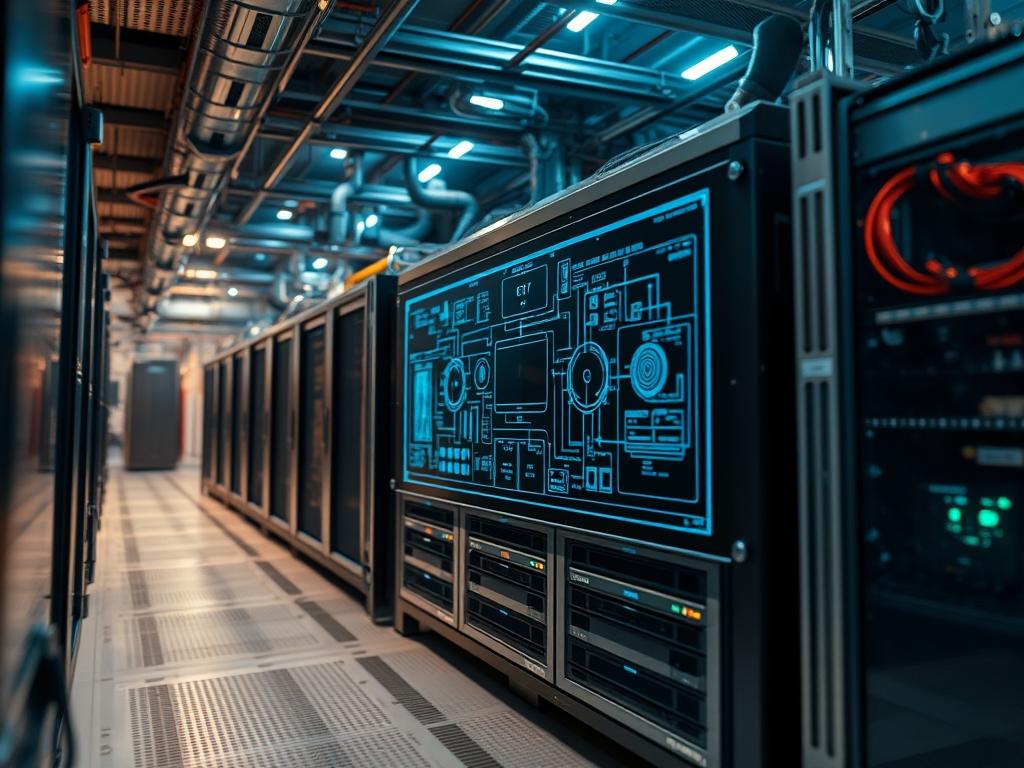
Infrastructure architecture within high-density data centers relies on the 4U server chassis capacity to bridge the gap between compute density and thermal sustainability. As enterprise workloads shift toward intensive artificial intelligence and massive local storage arrays; the 4U form factor provides the necessary physical envelope for seven inches of vertical rack space. This volume permits the integration of full-height PCIe expansion cards; multi-socket motherboards; and sophisticated liquid-cooling reservoirs that smaller 1U or 2U units cannot accommodate. The primary technical challenge involves balancing the increased payload of high-TDP components against the thermal-inertia inherent in large-volume enclosures. Without a rigorous approach to airflow dynamics and power distribution; a 4U deployment risks localized hotspots and signal-attenuation due to excessive cabling interference. This manual outlines the protocols for maximizing 4U server chassis capacity while maintaining strict adherence to structural and thermal tolerances within the broader network infrastructure.
Technical Specifications
| Requirement | Default Operating Range | Protocol/Standard | Impact Level (1-10) | Recommended Resources |
| :— | :— | :— | :— | :— |
| Drive Bay Density | 24 – 60 LFF/SFF Bays | SAS-3 / NVMe Gen4 | 9 | HBA/RAID Controller |
| Expansion Slots | 7 – 11 Full-Height | PCIe 4.0/5.0 | 8 | PCIe Riser Assembly |
| Thermal Dissipation | 800W – 2200W | ASHRAE A2 | 10 | 80mm/120mm PWM Fans |
| Power Distribution | 1+1 or 2+2 Redundant | EPS12V / CRPS | 9 | Titanium Grade PSU |
| Motherboard Support | Up to EE-ATX (13.6×15) | SSI EEB / ATX | 7 | Material Grade: SECC Steel |
| Max Payload Weight | 45kg – 90kg | EIA-310-E | 6 | Heavy-Duty Sliding Rails |
The Configuration Protocol
Environment Prerequisites:
Successful deployment requires strict adherence to EIA-310-E rack standards and NEC Class 2 power delivery protocols. The infrastructure must support 220V/240V circuits to minimize current draw and maximize PSU efficiency. Technicians must possess administrative access to the IPMI interface and the BMC (Baseboard Management Controller) to monitor thermal telemetry in real-time. Grounding straps and specialized torque drivers are required to prevent electrostatic discharge and ensure structural integrity of the heavy-duty rail systems.
Section A: Implementation Logic:
The engineering philosophy behind 4U server chassis capacity focuses on volumetric efficiency. Unlike smaller units that rely on high-velocity; high-static pressure fans; the 4U chassis utilizes larger 120mm fans to achieve greater throughput with lower acoustic overhead. The goal is to create a laminar airflow pattern that minimizes turbulence around high-profile heat sinks. By strategically placing the Internal Air Shroud; designers force cold air through the memory banks and VRM zones before it reaches the CPU heat sinks. This prevents the “pre-heating” effect often seen in densely packed 1U configurations. Furthermore; the 4U height allows for vertical stacking of storage backplanes; increasing the total payload capacity of the storage subsystem without exceeding the power density limits of a standard 42U rack.
Step-By-Step Execution
1. Structural Rail Integration
Mount the Inner Rail Members to the chassis sides using M4 flat-head screws and secure the Outer Rail Assemblies to the rack posts.
System Note: Proper rail alignment prevents mechanical torque on the chassis frame; ensuring the backplane connectors remain seated during thermal expansion cycles.
2. Backplane Power Sequencing
Connect multiple 8-pin EPS or 12VHPWR cables from the PSU Distribution Board to the SAS/SATA Backplane.
System Note: This ensures sufficient throughput for high-current startup draws when 60+ individual HDDs spin up simultaneously; preventing low-voltage transients that trigger the kernel disk-hang protection.
3. Thermal Shroud Calibration
Install the Air Shroud over the CPU Sockets and DIMM Slots; ensuring it creates a sealed pressure chamber between the middle fan wall and the rear exhaust.
System Note: This physical encapsulation forces air directly across the cooling fins; reducing thermal-inertia and preventing the BMC from triggering a thermal-throttle event during high concurrency processing.
4. PCIe Expansion Validation
Insert GPU or FPGA accelerators into the vertical PCIe Slots; securing the brackets with captive screws.
System Note: Validating the seat of these cards ensures signal integrity; as any misalignment can cause packet-loss across the PCIe fabric or trigger NMI (Non-Maskable Interrupt) errors in the OS.
5. Fan Curve Configuration via IPMI
Access the BMC Web Interface or use ipmitool to set the fan profile to Performance or Optimal.
Terminal command: ipmitool sensor thresh “Fan1” lower 300
System Note: Adjusting the lower thresholds prevents the System Event Log from being flooded with false-positive “Fan Failure” alerts when the system is idling at low RPMs.
6. OS-Level Thermal Monitoring
Boot the system and execute sensors-detect followed by watch -n 1 sensors to verify real-time thermal data.
Terminal command: watch -n 1 “sensors | grep Core”
System Note: Monitoring individual core temperatures confirms that the physical thermal paste application is idempotent across all installed processors.
Section B: Dependency Fault-Lines:
The most critical bottleneck in high-capacity 4U units is PCIe lane saturation. When utilizing NVMe expanded backplanes; the PCH (Platform Controller Hub) can become a point of high latency if too many drives share a single uplink. Another failure point involves the weight distribution of the chassis on the sliding rails. If the rails are not rated for the total weight of a fully populated storage array; the chassis may sag; causing the SAS cables to pull against their ports and leading to intermittent disk dropouts. Finally; power phase imbalances across the PSU rails can lead to unexpected shutdowns if the GPU load and HDD spin-up occur simultaneously.
The Troubleshooting Matrix
Section C: Logs & Debugging:
Physical faults in 4U systems often manifest as amber LEDs on the front panel or the rear of the PSU. Use the following paths to diagnose deeper issues:
– Check General System Health: /usr/bin/ipmitool sdr list
– Analyze Kernel Hardware Errors: /var/log/mcelog or dmesg | grep -i “error”
– Debug Storage Backplane Communication: tail -f /var/log/kern.log | grep “sas”
If the server displays a “Redundancy Lost” error on the PSU; verify the input voltage at the PDU using a fluke-multimeter. If the voltage is stable; the fault lies within the load-sharing logic of the internal power distribution board. For disk-related errors such as “Timeout on Sector”; check the integrity of the Mini-SAS HD cables. A sharp bend in these cables can cause signal-attenuation; resulting in high payload retry rates. If the system experiences random reboots under load; audit the IPMI SEL (System Event Log) for “Power Supply Surges” or “Critical Thermal” events.
Optimization & Hardening
Performance Tuning:
To maximize throughput and minimize latency; disable C-States in the BIOS for high-load compute nodes. This prevents the CPU from down-clocking during brief idle periods; ensuring immediate response times for incoming payload requests. For storage-heavy 4U units; adjust the I/O Scheduler to none or mq-deadline within the Linux kernel to optimize for NVMe flash performance.
Security Hardening:
Physical security is paramount for 4U units due to their accessible front-drive bays. Enable Chassis Intrusion Detection in the BIOS; which triggers an alert in the BMC if the top cover is removed. On the software side; set the IPMI interface to its own isolated VLAN and apply strict firewall rules to restrict access to authorized management IP addresses only. Disable USB ports in the cabinet if the server resides in a co-location space to prevent unauthorized data exfiltration.
Scaling Logic:
When horizontal scaling occurs; maintain a “Chimney” rack configuration to handle the massive exhaust heat. Every ten 4U units will require a dedicated high-capacity PDU to manage the cumulative current draw. Ensure that the Top-of-Rack (ToR) switch has enough backplane bandwidth to handle the combined concurrency of all 4U nodes without becoming a bottleneck.
The Admin Desk
FAQ 1: Why is my 4U server significantly louder than a 2U?
While 4U fans are larger; they move more air. If noise is excessive; check the IPMI fan curve. High thermal-inertia from a dense GPU array might be forcing the BMC to run fans at 100% duty cycle.
FAQ 2: Can I use standard consumer PSUs in a 4U rackmount?
While physically possible in some chassis; it is not recommended. Consumer units lack the high-static pressure fans needed for a rack environment and do not support redundant load-sharing; risking a single point of failure.
FAQ 3: How do I resolve “PCIe Bus Error: Severity=Corrected”?
This is often caused by signal-attenuation on long PCIe risers. Ensure the card is firmly seated and that there are no high-voltage cables running directly parallel to the PCIe traces; causing electromagnetic interference.
FAQ 4: My storage backplane only recognizes half the drives. Why?
Check the SAS Expander settings. Each Mini-SAS HD cable usually supports four drives. If one cable is loose or faulty; a whole quadrant of the backplane will lose connection to the HBA.
FAQ 5: Is liquid cooling necessary for a 4U server?
Only if utilizing high-density TDP components exceeding 400W per socket. For most storage and moderate compute; high-static air cooling is sufficient; provided the Air Shroud and internal baffles are properly installed.

