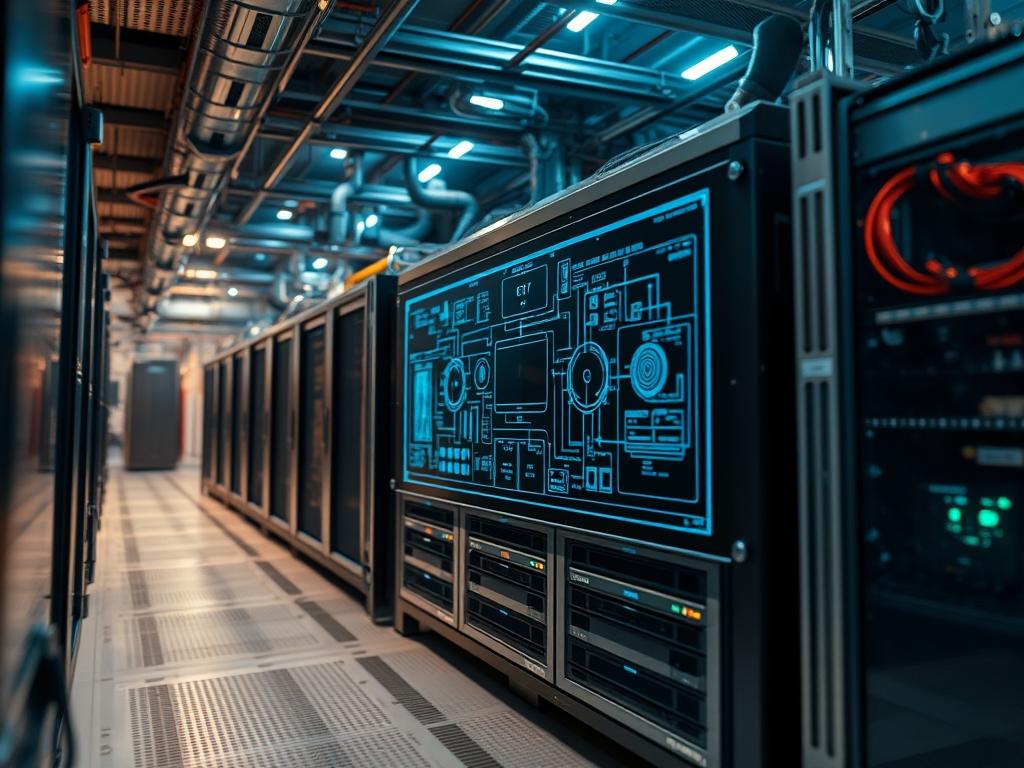
Achieving peak performance in modern data centers requires a rigorous understanding of 2U rack density benchmarks. The 2U form factor represents the strategic middle ground between the extreme density of 1U blades and the thermal headroom of 4U expansion chassis. In the context of edge computing and hyperscale environments; 2U rack density benchmarks serve as the primary metric for evaluating the intersection of compute-per-square-foot and thermal efficiency. The core problem addressed by these benchmarks is the mitigation of thermal-inertia in high-density clusters while maintaining maximum compute payload. Without standardized metrics, architects face risks including unplanned downtime due to localized hot spots or inefficient power distribution. This manual provides the technical framework to quantify 2U rack density benchmarks, ensuring that hardware expansion data remains consistent across modular infrastructure. By focusing on variables such as power-to-weight ratios and network-per-U throughput, architects can develop idempotent deployment scripts that scale without performance degradation.
Technical Specifications
| Requirements | Default Port/Operating Range | Protocol/Standard | Impact Level (1-10) | Recommended Resources |
| :— | :— | :— | :— | :— |
| Power Delivery Unit (PDU) | 208V – 240V | IEEE 802.3 / NEC | 10 | NEMA L6-30P / C13/C14 |
| Thermal Management | 18C – 27C (64.4F – 80.6F) | ASHRAE TC 9.9 | 9 | PWM-controlled 80mm Fans |
| Data Interconnects | 100Gbps – 400Gbps | IEEE 802.3ck | 8 | QSFP56-DD / OSFP |
| Storage Interface | 16 GT/s – 32 GT/s | PCIe Gen 4 / Gen 5 | 7 | NVMe U.2/U.3 SSDs |
| Management Logic | Port 623 (UDP) | IPMI 2.0 / Redfish | 6 | ASPEED AST2600 BMC |
| Memory Concurrency | 3200 MT/s – 5600 MT/s | JEDEC DDR4/DDR5 | 8 | ECC RDIMM 128GB+ |
The Configuration Protocol
Environment Prerequisites:
Before initiating benchmark protocols, the facility must comply with ASHRAE Class A1 thermal guidelines. Hardware must support IPMI v2.0 or the Redfish API for out-of-band telemetry. Network infrastructure requires 400G-capable leaf switches with non-blocking fabric to avoid signal-attenuation during high-pressure throughput tests. Software requirements include Linux Kernel 5.15+ for advanced process accounting and ipmitool for raw sensor data ingestion. User permissions must allow sudo access for modifying kernel parameters and root-level access for systemctl management of data collection daemons.
Section A: Implementation Logic:
The engineering design of a 2U density benchmark hinges on the relationship between thermal dissipation and volumetric compute density. Unlike 1U systems where airflow is severely restricted by component height; 2U systems allow for larger, more efficient heat sinks and vertically stacked NVMe arrays. The logic follows a “Thermal-First” approach: compute capacity is treated as a variable constrained by the cooling capacity of the rack ecosystem. We prioritize high-density configurations to reduce the physical footprint, which in turn reduces signal-attenuation by minimizing cable lengths in the top-of-rack (ToR) switch architecture. By benchmarking the maximum thermal-inertia of the chassis, we can predict failure points during sustained high-concurrency workloads.
Step-By-Step Execution
1. Power Distribution Audit
Verify the physical power path from the Branch Circuit to the PDU. Use a fluke-multimeter to measure the voltage at the C13 connector under zero-load and peak-load conditions.
System Note: Monitoring voltage drop at the input source prevents unexpected reboots caused by power-sag during high-throughput benchmarks. This ensures the Power Supply Unit (PSU) stays within its peak efficiency curve.
2. Baseboard Management Controller Initialization
Configure the ASPEED AST2600 BMC using the command ipmitool lan set 1 ipsrc static. Map the static IP to the management VLAN to ensure isolated telemetry traffic.
System Note: Separating management traffic from production data prevents packet-loss on the control plane during heavy network saturation tests. This command initializes the dedicated physical NIC for the BMC.
3. Thermal Sensor Verification
Execute the sensors command to map the thermal-zones within the 2U chassis. Verify that the CPU0 and CPU1 temperature offsets are correctly reported by the kernel.
System Note: Accessing the hwmon sysfs interface allows the kernel to adjust PWM fan speeds dynamically. Inaccurate mapping leads to thermal throttling and artificial caps on benchmark results.
4. Storage Throughput Baseline
Run the fio –name=randwrite –ioengine=libaio –direct=1 –bs=4k command to establish a baseline for NVMe performance within the 2U expansion slots. Target the specific block device located at /dev/nvme0n1.
System Note: Using the libaio engine ensures high-concurrency at the kernel level. This bypasses the filesystem buffer cache to measure raw hardware capability, identifying bottlenecks in the PCIe switch fabric.
5. Network Latency Profiling
Deploy the iperf3 -s command on the target 2U node and iperf3 -c [target_ip] -P 16 -t 60 on the generator node to test multi-threaded throughput. Check for signal-attenuation on the DAC cables.
System Note: Increasing the parallel stream count (-P 16) tests the system’s ability to handle high-concurrency interruptions. It forces the kernel to manage NIC interrupts across multiple CPU cores, revealing overhead in the network stack.
6. Service Hardening and Daemons
Enable the monitoring service using systemctl enable –now prometheus-node-exporter. Set the permissions on the data directory using chmod 755 /var/lib/node_exporter.
System Note: The systemctl command ensures that telemetry survives a system reboot. Proper permissions allow the exporter to scrape hardware metrics without compromising the root filesystem’s security integrity.
Section B: Dependency Fault-Lines:
Software-level bottlenecks often manifest as “false-negatives” in 2U rack density benchmarks. A common failure is the use of legacy BIOS instead of UEFI, which limits the addressing of large NVMe volumes. Mechanical bottlenecks are typically found in the rack rails; if the rails are not rated for the static load of a fully populated 2U chassis (often exceeding 65 lbs), micro-vibrations can lead to hard drive head-crashes in hybrid storage configurations. Protocol-level failures occur when MTU settings mismatch between the node (9000 bytes) and the switch (1500 bytes), causing massive packet-loss due to fragmentation.
THE TROUBLESHOOTING MATRIX
Section C: Logs & Debugging:
When a benchmark fails to meet the expected 2U density threshold, the first point of analysis is the IPMI Event Log. Use the command ipmitool sel list to view a chronological history of hardware faults. Look for strings like “ECC Uncorrectable Error” or “Drive Slot Fault.” For kernel-level issues, inspect /var/log/dmesg for any “PCIe Bus Error: severity=Corrected” messages. These often point to a failing Riser Card or Mezzanine card that is unable to maintain signal integrity at Gen 5 speeds. If the system experiences thermal shutdown, check the /sys/class/thermal/thermal_zone*/temp paths every 10 seconds during the load phase to identify the specific component exceeding its T-Junction limit. Visual inspection of the PDU display should show amperage draw; if the draw is lower than expected during a stress test, it indicates the CPU is pinned by latency in the I/O wait state rather than compute-bound.
OPTIMIZATION & HARDENING
– Performance Tuning: To maximize throughput, modify the GRUB_CMDLINE_LINUX_DEFAULT to include isolcpus and hugepages. This reduces the overhead of the kernel scheduler and minimizes TLB misses during high-concurrency memory access. Ensure the PCIe Max_Payload_Size is set to 4096 bytes to optimize data transfer across the 2U backplane.
– Security Hardening: Implement iptables or nftables to restrict access to the IPMI interface. Use chmod 600 on all configuration files containing secrets. Physically secure the 2U rack ears with security screws to prevent unauthorized removal of high-value GPU or FPGA expansion modules.
– Scaling Logic: Maintain a consistent density by grouping 2U nodes into “Pods” sharing a common Busbar or Smart PDU. Use idempotent Ansible playbooks to ensure that every node in the cluster has identical sysctl tuning for TCP windows and NVMe-over-Fabrics (NVMe-oF) settings. As traffic increases; scale horizontally by adding identical 2U units until the Top-of-Rack switch reaches its port-density limit.
THE ADMIN DESK
Q: How do we mitigate thermal-inertia in a 24-bay 2U chassis?
A: Use high-static-pressure fans and ensure all empty drive slots have blanks installed. This maintains the intended airflow path and prevents air-recirculation; ensuring the payload components receive direct cooling without atmospheric overhead.
Q: What is the impact of signal-attenuation on long DAC cables?
A: Signal-attenuation increases bit-error rates, leading to frequent retransmissions. In 2U benchmarks, this presents as decreased throughput and increased latency. For lengths over 3 meters, transition to active optical cables (AOC) to maintain 100G+ speeds.
Q: Why does the system report high CPU wait times during NVMe tests?
A: This usually indicates an interrupt-handling bottleneck. Bind the NIC and NVMe interrupts to different CPU cores to distribute the load. This improves concurrency and reduces the processing overhead on the primary compute cores.
Q: Can we mix DDR4 and DDR5 in the same 2U expansion?
A: No. Memory architectures are physically and electrically incompatible. Mixing them is impossible at the motherboard level. Ensure all nodes in a benchmark group use identical JEDEC specifications to ensure idempotent results across the cluster.