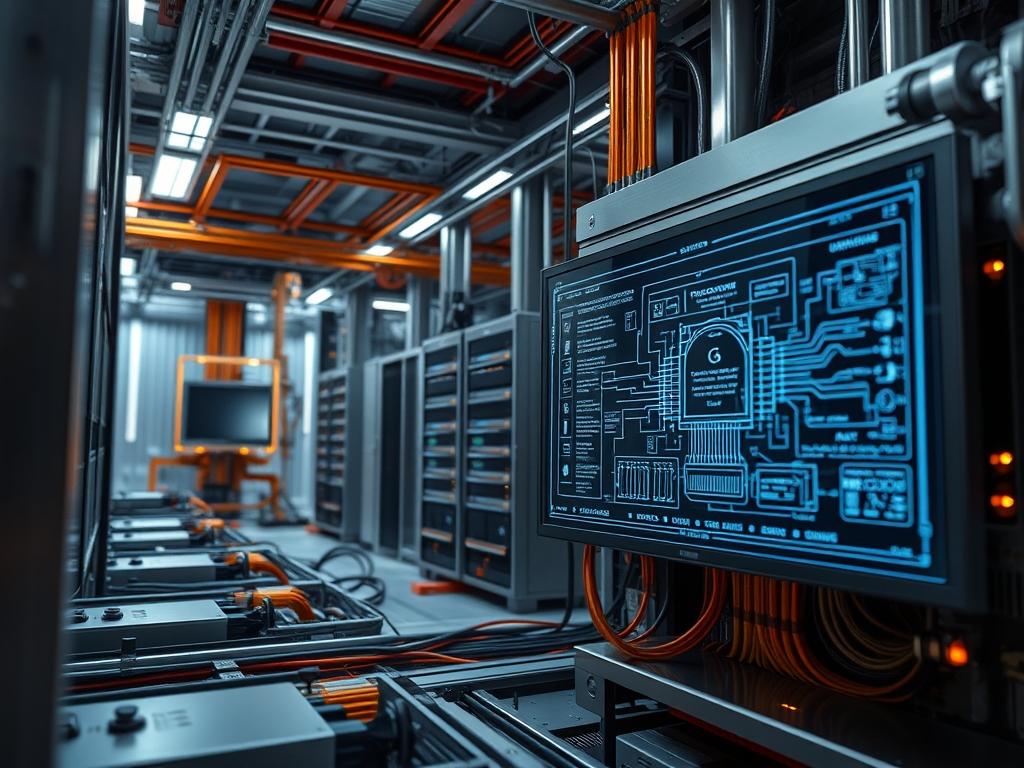
Edge server power limits represent a critical regulatory layer within decentralized computing clusters. Unlike centralized data centers; where cooling infrastructure is robust and redundant; edge nodes often reside in unconditioned or space-constrained environments like telecommunications cabinets; transit hubs; or industrial floors. Unmanaged power consumption in these locations leads to thermal runaway; which causes hardware degradation and unpredictable latency. By implementing strict edge server power limits; architects ensure that the computational payload does not exceed the thermal-inertia thresholds of the physical chassis or the upstream power delivery network. These limits serve as an insurance policy against current spikes and voltage fluctuations that could otherwise trigger localized network outages or signal-attenuation in associated radio frequency components. The primary objective of an energy-aware edge strategy is to achieve an idempotent power state where consumption remains predictable regardless of transient spikes in request concurrency or network throughput. This manual provides the engineering framework for implementing and auditing these limits at the kernel and firmware levels.
Technical Specifications (H3)
| Requirement | Default Port/Operating Range | Protocol/Standard | Impact Level (1-10) | Recommended Resources |
| :— | :— | :— | :— | :— |
| CPU RAPL Interface | 0 – 500 Watts | IEEE 802.3bt | 9 | Kernel 5.15+ / 16GB RAM |
| BMC Monitoring | Port 623 (UDP) | IPMI v2.0 / Redfish | 7 | Dedicated BMC Chipset |
| Thermal Throttling | 45C – 85C | ACPI 6.5 | 10 | High-Grade TIM / Static Fans |
| PoE++ Budgeting | 60W – 90W | IEEE 802.3at/bt | 8 | Cat6A Shielded Cabling |
| PDU Load Shedding | 15A – 20A | SNMP v3 | 6 | L6-30R Receptacles |
The Configuration Protocol (H3)
Environment Prerequisites:
1. Linux Kernel version 5.4 or higher to support progressive powercap and intel_rapl drivers.
2. Installation of msr-tools and ipmitool for low-level register manipulation and chassis management.
3. Superuser (root) permissions to read and write to the /sys/class/powercap architecture.
4. Firmware compliance with the Running Average Power Limit (RAPL) standard; verified via the BIOS/UEFI energy management tab.
5. Network connectivity via Port 623 for remote Out-of-Band (OOB) power telemetry collection.
Section A: Implementation Logic:
Modern edge hardware utilizes the RAPL mechanism to manage energy envelopes through a hardware-software handshake. The underlying principle is the limitation of the processor P-states and T-states based on a sliding time window. The engineering design focuses on two primary constraints: Short Term (PL2) and Long Term (PL1). PL1 defines the steady-state energy consumption that the cooling solution can dissipate indefinitely. PL2 allows for brief bursts of high concurrency and throughput; accommodating the initial overhead of heavy computational workloads. By defining these limits in the kernel; the system creates a deterministic power profile that prevents the thermal-inertia of the heat sink from being overwhelmed. This logic ensures that even under maximum payload saturation; the edge node does not exceed the electrical capacity of its local circuit or the thermal limits of its enclosure; effectively mitigating risks of equipment fire or hardware-induced signal-attenuation in proximity electronics.
Step-By-Step Execution (H3)
1. Identify the Power Capping Control Tree
Execute the command ls -l /sys/class/powercap/intel-rapl.
System Note: This action verifies that the kernel has successfully enumerated the processor energy zones. Each zone represents a physical socket or a DRAM domain. Failure to see these directories indicates that the intel_rapl_common module is not loaded or the CPU does not support the protocol.
2. Audit Current Energy Consumption Metrics
Run the command ipmitool sdr list | grep “Power Supply”.
System Note: This command queries the Baseboard Management Controller (BMC) to retrieve real-time wattage data from the Power Supply Units (PSU). It provides the baseline power draw before any constraints are applied; allowing the auditor to calculate the necessary delta for the power limit application.
3. Configure the Long-Term Power Limit
Navigate to the zone directory and execute echo 45000000 > /sys/class/powercap/intel-rapl:0/constraint_0_power_limit_uw.
System Note: The value is defined in microwatts. Setting this value to 45,000,000 uW (45 Watts) forces the CPU package to throttle its frequency if the average power consumption over the measurement window exceeds this threshold. This directly impacts the thermal-inertia of the system by limiting the total heat energy generated.
4. Enable the Active Power Constraint
Input echo 1 > /sys/class/powercap/intel-rapl:0/constraint_0_enabled.
System Note: This is an idempotent operation that switches the RAPL controller from a “monitoring-only” state to an “enforcement” state. The kernel and the CPU microcode will now actively modulate voltage and frequency to stay within the 45W envelope defined in Step 3.
5. Verify the Constraint Timing Window
Set the time window using echo 1000000 > /sys/class/powercap/intel-rapl:0/constraint_0_time_window_us.
System Note: This sets the averaging window to 1,000,000 microseconds (1 second). A shorter window results in more aggressive throttling and reduced latency jitter during bursty traffic; while a longer window allows for better handling of transient computational payloads at the cost of higher peak temperatures.
Section B: Dependency Fault-Lines:
Implementation failures typically emerge from Secure Boot conflicts. When Secure Boot is active; the Linux kernel often locks down the msr (Model Specific Register) interface; which prevents software from writing to energy registers. This results in a “Permission Denied” error even for the root user. Additionally; library mismatches between libpowercap and older versions of the cpupower utilities can lead to inaccurate metric reporting. Another mechanical bottleneck is the PDU (Power Distribution Unit) firmware. If the PDU has an independent load-shedding logic that is more aggressive than the edge server power limits; the rack may lose power before the server can throttle its own consumption. Ensure that the hardware-level limits are synchronized with the software-level caps to avoid cascading failures in the power train.
THE TROUBLESHOOTING MATRIX (H3)
Section C: Logs & Debugging:
When power limits fail to engage or cause unexpected system behavior; the first point of analysis is the kernel ring buffer. Use dmesg | grep -i rapl to identify initialization errors or register access violations.
– Error Code: -EACCES: This indicates that the RAPL interface is locked. Check BIOS settings for “External Voltage Regulator Control” and ensure it is set to “Enabled.”
– Error Code: -EINVAL: This occurs when the microwatt value is outside the hardware-supported range. Query constraint_0_max_power_uw to find the upper bound.
– Log String: “Package power limit notification”: This is not an error but a confirmation in /var/log/syslog that the hardware is actively throttling to maintain the cap. If this appears too frequently; the payload exceeds the provisioned energy budget.
– Visual Cue: If the edge server status LED flashes amber; check the BMC log via ipmitool sel list. Look for “Power Limit Exceeded” events which suggest the hardware-level peak (PL2) is set too low for the system startup overhead.
OPTIMIZATION & HARDENING (H3)
Performance Tuning:
To maximize throughput within a restricted power envelope; implement the “Race to Sleep” strategy. This involves allowing the CPU to hit higher frequencies briefly to complete a computational task quickly; then immediately transitioning to a low-power C-state. Use the command cpupower frequency-set -g performance in conjunction with a strict PL1 limit. This reduces the latency of individual requests while maintaining the long-term energy budget. Additionally; optimizing the concurrency models of the applications to match the physical core count prevents unnecessary context switching; which can waste energy as thermal overhead.
Security Hardening:
The power management interface is a target for side-channel attacks and Denial of Service (DoS). An attacker with access to energy registers could undervolt the system to induce memory errors or overvolt it to trigger a thermal shutdown. Use udev rules to restrict access to /dev/cpu/*/msr to only the specific service IDs responsible for monitoring. Implement firewall rules on the BMC management port (Port 623) to allow traffic only from authorized infrastructure auditing subnets; preventing unauthorized changes to the edge server power limits via the Redfish API.
Scaling Logic:
In large-scale edge deployments; manual configuration is replaced by a Power Manager Operator within an orchestration framework like Kubernetes. This allows for dynamic adjustment of power limits based on the cluster-wide load. For instance; during off-peak hours; the power limit can be reduced across the entire fleet to save energy; while a high-priority payload can trigger a temporary increase in the power envelope of specific nodes. This ensures that the total energy consumption of the edge site remains within the capacity of the backup battery systems (UPS) and prevents signal-attenuation caused by electrical interference in high-density rack configurations.
THE ADMIN DESK (H3)
1. How do I remove a power cap quickly?
Run echo 0 > /sys/class/powercap/intel-rapl:0/constraint_0_enabled. This disables the enforcement logic immediately without requiring a reboot. The system will return to its default BIOS thermal management profile.
2. Why is my server slow despite low power use?
Check if the “Power Capping” is fighting with the “Thermal Throttling.” If the chassis has poor airflow; the hardware will throttle due to temperature regardless of the power limit. Inspect the sensors using the sensors command.
3. Does power capping prevent hardware damage?
Yes; by limiting the current draw and heat generation; it reduces the rate of electromigration in the silicon. This extends the Mean Time Between Failures (MTBF) for edge nodes deployed in harsh industrial environments.
4. Can I set different limits for DRAM?
Yes; most modern servers have a separate zone for the memory controller. Navigate to /sys/class/powercap/intel-rapl:0/intel-rapl:0:1 to apply specific wattage constraints to the system memory independently of the CPU.
5. Will power capping increase packet-loss?
Indirectly; if the CPU frequency drops too low to process incoming network interrupts; the buffer may overflow. Always monitor the ifconfig error counters when adjusting the edge server power limits to ensure sufficient computational overhead.

