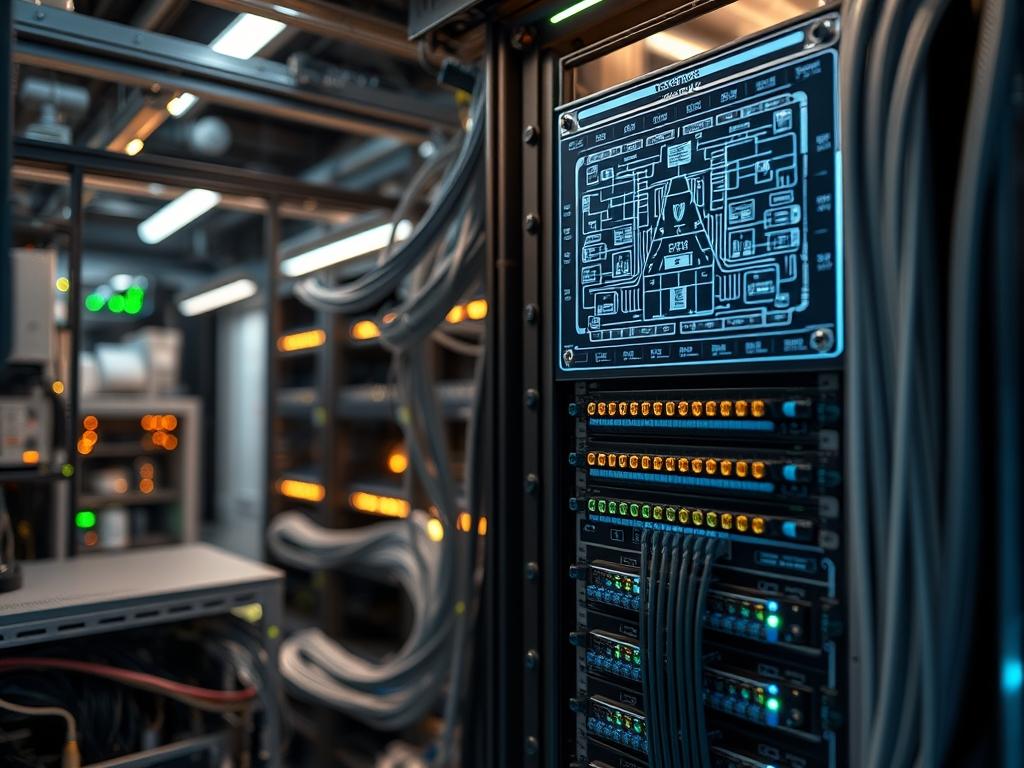
High-density fiber optic patch panel integration represents the physical foundation of modern telecommunications and data center infrastructure. As network demands transition from 10G to 400G and beyond, the physical layer must support an increasingly complex array of interconnections within a restricted spatial footprint. Fiber optic patch panel density refers to the number of fiber terminations or ports available per rack unit (RU or U). This metric defines the efficiency of the physical layer in terms of spatial utilization and port-to-volume ratios. In large scale cloud deployments and enterprise network stacks, maximizing density is not merely a matter of convenience; it is a prerequisite for maintaining scalable throughput while minimizing the high cost of data center real estate. The problem of managing high-density cabling often results in cable congestion, restricted airflow, and increased latency due to poor cable organization or signal-attenuation from improper bend radii. Efficient port mapping data provides the logical bridge between physical connections and virtualized network services, ensuring that every payload reaches its destination without avoidable packet-loss.
Technical Specifications
| Requirement | Default Port / Operating Range | Protocol / Standard | Impact Level (1-10) | Recommended Resources |
| :— | :— | :— | :— | :— |
| Port Density | 96 – 144 LC Ports per 1U | TIA-942-B | 9 | UHD Chassis / Steel |
| Insertion Loss | < 0.35 dB per MPO | IEEE 802.3ba | 8 | Fluke-CertiFiber-Pro |
| Return Loss | > 60 dB (APC) | ISO/IEC 11801 | 7 | Grade-A Zirconia |
| Operating Temp | -20C to +70C | Telcordia GR-326 | 6 | Passive Air-Heat Exchanger |
| Polarity Type | Method A, B, or C | TIA-568.3-D | 10 | Logic-Controller / DB |
| Mechanical Load | 50N Pull Strength | IEC 61300-2-4 | 5 | 16-Gauge Cold-Rolled Steel |
The Configuration Protocol
Environment Prerequisites:
1. Standards Compliance: All hardware must adhere to the TIA-568.3-D cabling standard for fiber optic components and the ISO/IEC 11801 for generic cabling for customer premises.
2. Hardware: A standard 19-inch rack with adequate vertical cable management space is required.
3. Software/Documentation: An Asset Management System (AMS) or Data Center Infrastructure Management (DCIM) suite must be accessible with administrative permissions to update port-mapping-tables.
4. Environmental Controls: The installation area must be a Class 8 cleanroom or better to prevent dust-induced signal-attenuation on the ferrules.
Section A: Implementation Logic:
The engineering design of a high-density fiber panel relies on the principle of modular encapsulation. By housing fiber terminations within removable cassettes, engineers can isolate specific fiber strands without disrupting the traffic of adjacent ports. This modularity reduces the risk of human-error-induced downtime. The core logic of port mapping involves a one-to-one or one-to-many relationship between the MPO/MTP trunk backbone and the LC duplex or simplex presentation layers. The goal is to maximize the throughput of the backplane while maintaining a clear, documented path for every light pulse, thereby reducing the overhead associated with troubleshooting and physical audits.
Step-By-Step Execution
1. Rack Integration and Chassis Leveling
Mount the high-density chassis into the 19-inch rack using M6-Rack-Screws and ensure the unit is perfectly level to prevent torque on the internal fiber cassettes.
System Note: This stabilizes the physical asset; an unlevel chassis can lead to micro-strains on the fiber backbone, which increases the probability of signal-attenuation and physical connector fatigue over time.
2. Backplane Trunking and MPO Interconnect
Insert the MPO-24 or MTP-12 trunk cables into the rear of the patch panel chassis. Ensure the “click” of the latching mechanism is audible.
System Note: This establishes the high-capacity payload delivery route. Engaging the latching mechanism ensures that the physical connection is idempotent; it remains consistent despite the vibrations from nearby cooling fans or server chassis.
3. Module/Cassette Deployment
Slide the LC-Duplex-Cassettes into the front-facing slots of the chassis. Ensure each cassette is seated firmly against the backplane connectors.
System Note: This step performs the physical encapsulation of the fiber breakdown. It transforms a high-concurrency 12-fiber or 24-fiber trunk into individual addressable ports, allowing for granular traffic management at the network layer.
4. Polarity and Continuity Verification
Use a Visual-Fault-Locator (VFL) or a Light-Source-and-Power-Meter (LSPM) to verify that the light entering Port 1 at the source exits at the corresponding Port 1 at the destination.
System Note: This validates the polarity (Type A, B, or C). Incorrect polarity is a common source of packet-loss where the transmit (Tx) signal from one device is incorrectly routed to the transmit (Tx) port of another instead of the receive (Rx) port.
5. Port Mapping Labeling and Digital Sync
Apply physical labels to each port using a standardized alphanumeric code (e.g., R01-U22-P01) and update the DCIM-Database or CSV-Port-Map.
System Note: This action links the physical infrastructure to the logical management layer. Precise mapping reduces the mean-time-to-repair (MTTR) by allowing administrators to identify specific fiber paths through software queries rather than manual tracing.
6. Strain Relief and Cable Management
Secure the trunk cables to the rack frame using Velcro-Tie-Wraps. Do not use plastic zip ties. Ensure the bend radius is at least ten times the cable diameter.
System Note: This manages the thermal-inertia and physical stress within the rack. Proper management ensures that airflow is not restricted, preventing localized hotspots that could affect the performance of adjacent active network hardware.
Section B: Dependency Fault-Lines:
The most critical bottleneck in high-density fiber environments is the accumulation of dust on the ferrule end-faces. Even a microscopic particle can cause significant signal-attenuation or even permanent damage to the glass if mated under pressure. Another common failure point is the violation of the minimum bend radius; as the fiber is bent beyond its mechanical limit, light leaks out of the core into the cladding, leading to massive packet-loss. Finally, a mismatch between single-mode (OS2) and multi-mode (OM3/OM4) components will result in an immediate link failure because the core diameters are physically incompatible.
THE TROUBLESHOOTING MATRIX
Section C: Logs & Debugging:
When a port fails to establish a link, administrators must refer to the syslog of the connected switch to check for “Internal-Interface-Error” or “SFP-Rx-Power-Low” messages. Using a tool like a Fluke-Versiv-OTDR, the technician should generate a trace to locate the exact meter-mark of the fault.
1. Error: Loss-of-Signal (LoS):
Check the physical connection at Cassette-Alpha-Rear. If the OTDR shows a high reflective spike at the first 2 meters, the backend MPO connector is likely contaminated. Clean with a One-Click-Cleaner.
2. Error: High-Bit-Error-Rate (BER):
Inspect the patch cords for macro-bends. A macro-bend will show as a localized loss event on an OTDR trace at the 850nm or 1310nm wavelength. Straights the cable to resolve.
3. Error: Transceiver-Incompatibility-Warning:
Check the EEPROM data of the SFP/QSFP module via the CLI using the command show inventory or show interfaces transceiver detail. Ensure the physical fiber type matches the transceiver wavelength requirements.
4. Visual Cues:
A red light visible through the fiber jacket when using a VFL indicates a physical break in the glass. The cable must be replaced or spliced.
OPTIMIZATION & HARDENING
Performance Tuning
To optimize throughput and reduce latency, minimize the number of interconnects (mate points) between the source and the destination. Each mated pair introduces an average of 0.2dB to 0.5dB of loss. Furthermore, utilize “Ultra-Low Loss” (ULL) components for high-concurrency links like 100G/400G backbones to maximize the power budget available for the transceivers. Managing thermal-inertia within the patch panel involves using angled front panels, which allow for better cable routing and prevent the accumulation of heat-traps near the faceplates.
Security Hardening
Physical security is the first line of defense. High-density panels should be installed in locked cabinets. For sensitive environments (SIPR/NIPR or Banking), use port-locks that require a proprietary tool for removal. At the logical level, ensure that the port-mapping-data is encrypted and backed up; unauthorized access to the port map could allow an attacker to identify critical data pathways for physical tapping.
Scaling Logic
Maintaining density as the network grows requires a “Leaf-Spine” physical cabling architecture. Instead of direct-patching every device, utilize a Main-Distribution-Area (MDA) and multiple Horizontal-Distribution-Areas (HDAs). This creates a scalable hierarchical structure where capacity can be added by simply installing additional 1U chassis. As traffic increases, the transition from 12-fiber to 24-fiber or even 16-fiber (for 400G-DR4) MPO systems should be planned, ensuring the chassis has the modularity to accept updated cassette types without a full forklift replacement of the infrastructure.
THE ADMIN DESK
How do I identify a polarity mismatch quickly?
Use a Visual-Fault-Locator. If you plug the laser into Port 1 (Tx) at side A, and it appears on Port 1 (Tx) at side B instead of Port 2 (Rx), you have a polarity error that requires a Type-B crossover.
What is the maximum density recommended for 1U?
While units exist for 144 ports, a density of 96 LC ports per 1U is the standard “sweet spot.” This balances spatial efficiency with the physical ability of a technician to access individual cables for maintenance and cleaning.
Can I mix Single-mode and Multi-mode in one panel?
Yes; however, they must be in separate cassettes. You cannot patch a single-mode jumper into a multi-mode backbone. The core size difference (9 micron vs 50 micron) will cause total signal-attenuation and link failure.
Why is the bend radius so critical?
Fiber optics use Total Internal Reflection to transmit data. Bending the cable too sharply changes the angle of incidence, allowing light to escape the core. This results in signal degradation, high latency, and eventual packet-loss.
How often should port mapping data be audited?
Perform a physical audit every six months or after any major “MAC” (Move, Add, or Change) operation. Use an automated DCIM tool to compare the documented state against the actual live port status on your switches.

