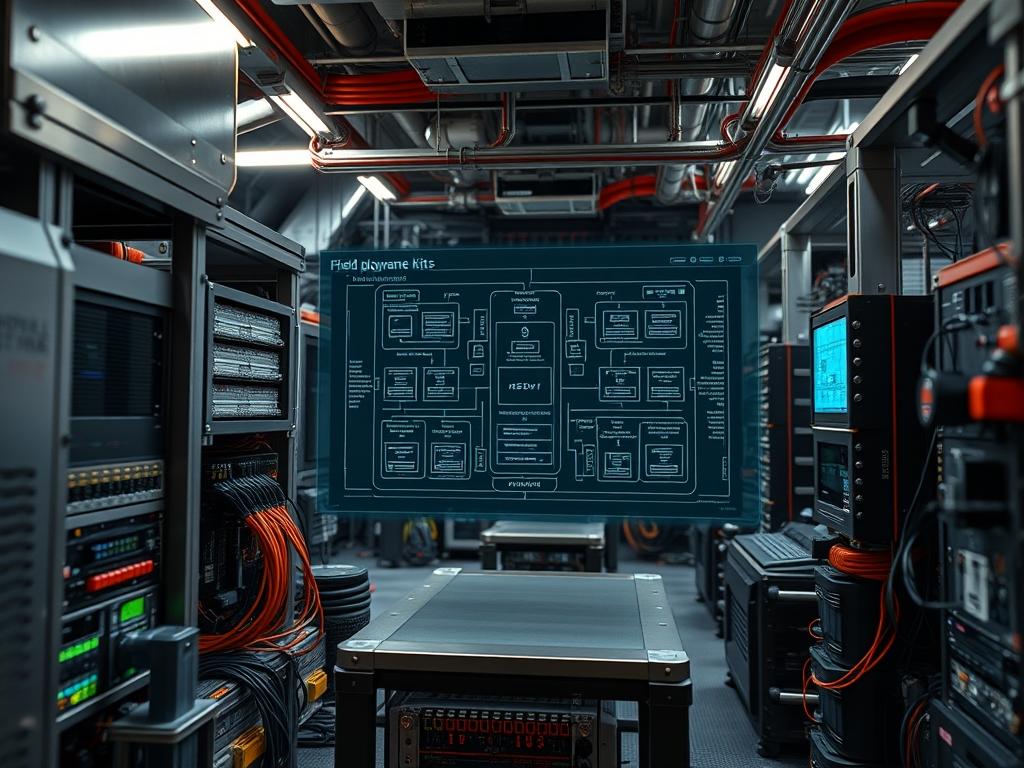
Field deployment hardware kits represent the tactical edge of industrial computing; they provide a modular, hardened environment for localized data processing and telemetry. In sectors such as energy distribution, municipal water management, and high-density network infrastructure, these kits eliminate the latency inherent in cloud-only architectures by performing real-time analysis at the source. The primary problem addressed is the “Environmental Gap” where standard enterprise hardware fails due to extreme temperature fluctuations, erratic power phases, and limited backhaul availability. By implementing a standardized kit, organizations achieve idempotent deployments across disparate geographical zones. Every unit functions as a repeatable, predictable node in the larger technical stack, regardless of the local terrain or infrastructural decay. Success for these deployments is measured by specific metrics: Time to First Packet (TTFP), Thermal Stabilization Rates, and Data Throughput integrity. This manual outlines the architectural requirements, deployment metrics, and rigorous hardening protocols necessary to ensure 99.99 percent uptime in unsupervised environments. It serves as the authoritative guide for field technicians and systems auditors overseeing the integration of these critical assets.
TECHNICAL SPECIFICATIONS
| Requirement | Default Port/Operating Range | Protocol/Standard | Impact Level (1-10) | Recommended Resources |
| :— | :— | :— | :— | :— |
| Primary Uplink | Port 443 / 20-40 MHz | LTE-A / 5G NR | 10 | Cat-12/20 Modem |
| Edge Compute | -40C to +85C | IEEE 802.3at (PoE+) | 9 | 8-Core ARM / 16GB RAM |
| Local Telemetry | RS-485 / Modbus | IEC 61131-3 | 8 | Shielded Twisted Pair |
| Power Delivery | 12V-24V DC | NEC Class 2 | 7 | 100W Power Supply |
| Cryptographic Module | I2C / SPI | FIPS 140-2 | 10 | TPM 2.0 Module |
| Storage | NVMe Gen4 | PCIe 4.0 | 6 | 1TB Industrial SSD |
| Out-of-Band Mgmt | Serial Console 115200 | RS-232 | 8 | USB-to-UART Bridge |
THE CONFIGURATION PROTOCOL
Environment Prerequisites:
Before the installation of field deployment hardware kits, the deployment site must meet specific readiness criteria. Electrical pathways must adhere to NEC (National Electrical Code) standards for Class I Division 2 environments if flammable gasses are present. Software dependencies include a base image of a hardened Linux distribution (e.g., Rocky Linux or Ubuntu Core) with the OpenSSL 3.0 library and Docker Engine 24.0 pre-installed. Logical access requires a hardware-backed SSH key stored on a FIPS-compliant token. Technicians must verify that the fluke-multimeter used for site testing is within its calibration window to ensure accurate DC voltage readings and ground loop detection.
Section A: Implementation Logic:
The engineering design of field deployment hardware kits relies on the principle of encapsulation. By isolating the computation layer from the physical environmental stressors via a NEMA 4X Enclosure, we create a micro-climate where thermal-inertia can be managed through passive heat sinks. The logic follows a “Security-First” posture: the hardware remains in a dormant state until a secure handshake is performed via the out-of-band management port. This prevents unauthorized network discovery during the critical boot-up phase. Furthermore, the deployment uses an idempotent configuration management tool; this ensures that if a setup is interrupted by a power failure, the system can resume from the last known good state without generating orphaned processes or corrupted file systems. We prioritize data integrity over transmission speed during the initial sync; we use checksum verification for every payload moved from the edge to the central repository.
Step-By-Step Execution
1. Physical Anchoring and Grounding Verification
Secure the NEMA 4X Enclosure to the mounting substrate using stainless steel bolts. Connect the internal Grounding Lug to a dedicated copper earth-ground rod using 10 AWG wire.
System Note: Proper grounding mitigates electromagnetic interference (EMI) and protects the Logic-Controllers from transient voltage surges. Failure to ground correctly can result in signal-attenuation across the RS-485 bus.
2. Primary Power Sequencing
Connect the 24V DC leads to the Phoenix Contact Terminal Blocks. Apply power and use a Fluke-multimeter to verify that the voltage ripple is less than 100mV.
System Note: Stable DC power prevents kernel panics associated with undervoltage lockout (UVLO) events on the ARM-based SBC. This step ensures the power-on-reset (POR) circuit triggers correctly.
3. Network Interface Initialization
Connect the Cat6a Shielded Cable from the modem to the Eth0 Port. Execute the command ip link set dev eth0 up followed by dhclient eth0 to obtain a localized IP address for the staging phase.
System Note: This action initializes the physical layer (L1) and data link layer (L2) drivers. The kernel will register the link state; use ethtool eth0 to verify the auto-negotiation speed matches the hardware capability.
4. Mounting the Encrypted Partition
Identify the industrial grade storage device using lsblk. Initialize the encrypted volume using cryptsetup luksFormat /dev/nvme0n1p3 and then open it with cryptsetup open /dev/nvme0n1p3 secure_data.
System Note: This process leverages the AES-NI instruction set if available or the TPM 2.0 for key management. It ensures that the data payload remains secure even if the physical field deployment hardware kits are compromised or stolen.
5. Service Daemon Deployment
Navigate to the deployment directory and execute systemctl start k3s to initialize the lightweight Kubernetes orchestrator. Monitor the logs using journalctl -u k3s -f.
System Note: Launching the container orchestrator allows for the management of localized payloads with high concurrency. The container runtime handles process isolation and resource limits for the telemetry gathering services.
Section B: Dependency Fault-Lines:
The most frequent failure point in field deployment hardware kits is the thermal-inertia of the enclosure when high-performance computing tasks are executed during peak ambient temperatures. If the internal temperature exceeds 75C, the CPU will initiate thermal throttling, leading to increased latency and decreased throughput. Another critical bottleneck is signal-attenuation in RF pigtails; if the SMA Connectors are not torqued to exactly 8 inch-pounds, the Standing Wave Ratio (SWR) increases, causing significant packet-loss on the uplink. Finally, version mismatch between the Modbus Library and the physical PLC Firmware often results in “Illegal Data Address” errors during the telemetry polling cycle.
THE TROUBLESHOOTING MATRIX
Section C: Logs & Debugging:
When encountering a system failure, the primary diagnostic path is through the serial console. Use a terminal emulator set to 115200 baud to catch early bootloader errors.
1. Kernel Faults: Check /var/log/kern.log for “Out of Memory” (OOM) killer events. If the OOM killer is active, reduce the memory overhead of the Docker containers.
2. Network Latency: Run mtr -n 8.8.8.8 to identify which hop is introducing packet-loss. If the loss begins at the first hop, inspect the LTE-Antenna alignment and check for Fresnel zone obstructions.
3. Sensor Readout Failures: Use i2cdetect -y 1 to scan the I2C bus for the hardware address of the sensors. If the address does not appear, verify the 3.3V rail continuity.
4. Physical Tamper: Inspect the logs of the Intrusion Detection Switch located at /sys/class/gpio/gpio112/value. A value of ‘1’ indicates the enclosure door has been breached.
OPTIMIZATION & HARDENING
Performance tuning for field deployment hardware kits requires a balance between throughput and power consumption. To optimize concurrency, adjust the worker_connections in the localized reverse proxy and increase the sysctl limit for fs.file-max. To manage thermal efficiency, implement a script that scales the CPU governor to “powersave” mode when the internal enclosure temperature crosses a 65C threshold.
Security hardening is paramount for remote assets. Remove all unnecessary packages using apt-get purge and disable the SSH password authentication in /etc/ssh/sshd_config; use only public-key-infrastructure (PKI). Implement a strict iptables or NFTables policy that drops all incoming traffic by default, allowing only established outbound connections and specific VPN traffic. For scaling, use a hub-and-spoke model where multiple kits report to a central “Concentrator” node. This allows for horizontal scaling of the infrastructure without increasing the complexity of the core network.
THE ADMIN DESK
How do I reset the hardware if the network is down?
Connect a laptop to the Serial Console Port using a DB9-to-USB Cable. Log in using the emergency local credentials and use the reboot command. If unresponsive, use the physical Reset Button on the PDU.
What is the maximum cable length for the sensors?
For RS-485 telemetry, the maximum distance is 1,200 meters using Shielded Twisted Pair. For Ethernet runs over Cat6a, the limit is 100 meters before a repeater or PoE-extender is required to prevent signal-attenuation.
The system is stuck in a boot loop. Why?
This is often caused by a “Brown-out” where the power supply cannot handle the in-rush current during disk spinning or modem initialization. Check the DC Power Supply wattage and ensure it exceeds the peak load by 20 percent.
How do I update the software on 500 kits simultaneously?
Use an idempotent deployment tool like Ansible or SaltStack over a VPN. Schedule the updates in waves to prevent a “Thundering Herd” effect on the backhaul network, which would cause significant packet-loss and timeout errors.
Can I run these kits on solar power?
Yes, provided you include a Battery Management System and a charge controller. The kit’s average draw is 15W-30W; ensure the solar array is sized for “Worst Case” winter sunlight to maintain 24/7 operations.

