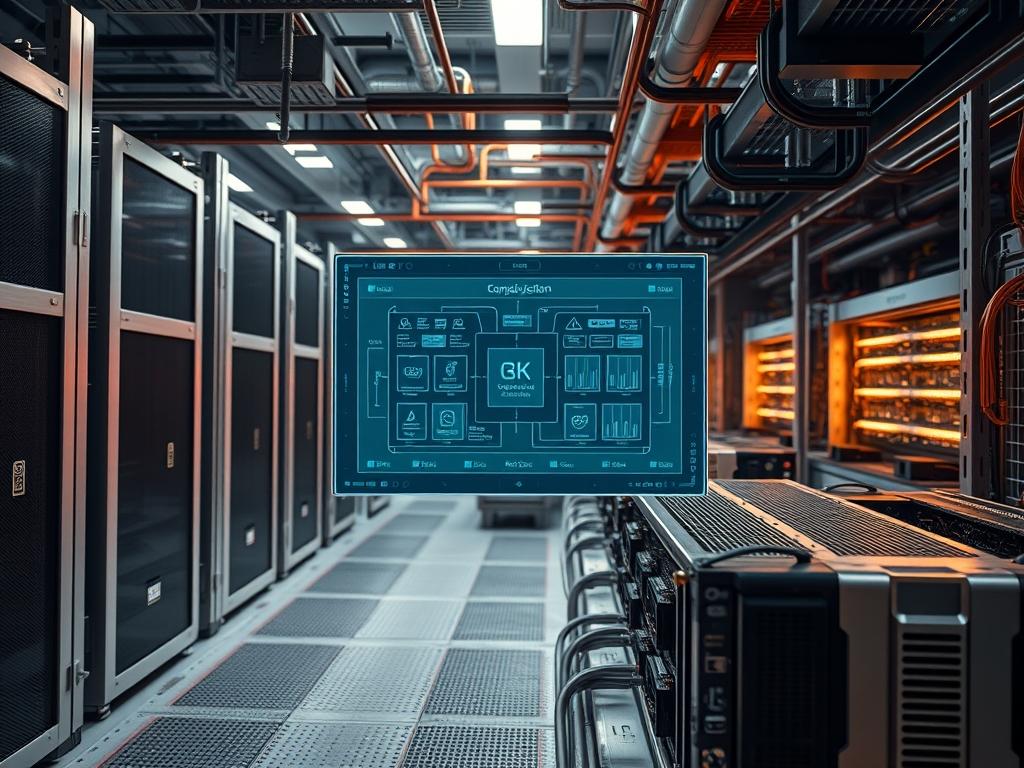
Heterogeneous compute nodes represent the fusion of diverse processing architectures into a unified execution fabric. These systems leverage traditional Central Processing Units (CPUs) alongside specialized accelerators such as Graphics Processing Units (GPUs), Field Programmable Gate Arrays (FPGAs), and Application Specific Integrated Circuits (ASICs). The primary technical challenge involves resource balancing data; this refers to the telemetry and orchestration logic required to ensure workloads are mapped to the optimal silicon based on instruction set architecture (ISA) affinity. In modern cloud and network infrastructure, these nodes mitigate the Moore’s Law Gap by providing specialized execution paths for concurrent workloads. Without robust resource balancing, these systems suffer from excessive latency and signal-attenuation during data ingestion. This manual details the deployment and maintenance of node clusters designed for high-throughput environments, ensuring that encapsulation overhead is minimized while hardware utilization remains maximized across the disparate compute fabric. Effective management requires an understanding of both low-level hardware interrupts and high-level orchestration layers.
Technical Specifications
| Requirement | Default Port/Operating Range | Protocol/Standard | Impact Level | Recommended Resources |
| :— | :— | :— | :— | :— |
| Inter-Node Fabric | 100Gbps to 400Gbps | RoCE v2 / InfiniBand | 10 | 128GB RAM / PCIe Gen5 |
| Resource Telemetry | Port 9100 / 9273 | Prometheus / gRPC | 7 | 4 Core CPU / 8GB RAM |
| Thermal Management | 45C to 85C | PMBus / SMBus | 9 | High-Flow Fans / N+1 |
| Driver Interface | OIB / VFIO | PCIe PASSTHROUGH | 8 | Hardware IOMMU Support |
| Local Storage | 1.2M+ IOPS | NVMe over Fabrics | 6 | Gen4 x4 M.2 or U.2 |
The Configuration Protocol
Environment Prerequisites:
Successful deployment of heterogeneous compute nodes requires a Linux kernel version 5.15.0-generic or higher to ensure compatibility with modern IOMMU grouping and PCIe 5.0 bus mastering. Hardware must support VT-d (Intel) or AMD-Vi (AMD) for direct memory access (DMA) mapping. All administrative actions must be performed by a user with sudo privileges or a dedicated root account. Software dependencies include LLVM/Clang core, OpenCL headers, and vendor-specific toolkits such as NVIDIA CUDA 12.0+ or AMD ROCm 5.x+. Network-wide synchronization requires NTP or PTP (Precision Time Protocol) to prevent clock drift during distributed resource balancing data collection.
Section A: Implementation Logic:
The theoretical foundation of heterogeneous compute nodes lies in Instruction Set Architecture (ISA) heterogeneity. Traditional symmetric multiprocessing (SMP) assumes all cores are identical; however, resource balancing data proves that moving a floating-point heavy payload from a general-purpose CPU to a dedicated GPU reduces the execution overhead by orders of magnitude. The implementation logic follows an idempotent pattern: the system state is checked before any change is applied to ensure that repeated executions of the configuration scripts do not result in corrupted driver states or conflicting kernel modules. This design prioritizes throughput by offloading high-concurrency tasks to accelerators while keeping serial control logic on the CPU.
Step-By-Step Execution
Step 1: Kernel Hardening and IOMMU Allocation
The first step involves modifying the bootloader to enable hardware isolation for device passthrough. Open the grub configuration file located at /etc/default/grub and append intel_iommu=on iommu=pt or amd_iommu=on to the GRUB_CMDLINE_LINUX_DEFAULT variable. Once modified, execute update-grub to commit the changes to the boot partition.
System Note: This modification affects the kernel’s memory management unit. Enabling IOMMU (Input-Output Memory Management Unit) allows the nodes to map virtual memory addresses to physical peripheral addresses, which is essential for low-latency DMA operations between the CPU and heterogeneous accelerators.
Step 2: Accelerated Driver Toolchain Deployment
Heterogeneous compute nodes require specialized drivers to bridge the gap between user-space applications and hardware registers. For NVIDIA-based nodes, execute apt-get install nvidia-headless-535 nvidia-utils-535. For FPGA-based systems, download the vendor board support package (BSP) and execute the setup script with chmod +x install_bsp.sh && ./install_bsp.sh.
System Note: The installation process registers the hardware devices under /dev/nvidia or /dev/xocl. This action creates the character device files necessary for library calls to interface with the hardware buffers, reducing signal-attenuation in the data path.
Step 3: Resource Orchestration Layer Setup
Install the container runtime and the specific device plugins required for resource balancing. Execute apt-get install docker.io. Once installed, deploy the device plugin using kubectl apply -f https://raw.githubusercontent.com/NVIDIA/k8s-device-plugin/v0.14.0/nvidia-device-plugin.yml.
System Note: This step registers the heterogeneous compute nodes’ special capabilities with the cluster orchestrator. The kubelet service on each node will now report “gpu” or “fpga” as a schedulable resource, allowing the load balancer to make intelligent decisions based on payload requirements.
Step 4: Telemetry Integration and Metric Exporting
To monitor resource balancing data, install the node_exporter and the specialized dcgm_exporter for accelerators. Execute systemctl enable –now node_exporter.service. For hardware-level thermal monitoring, use apt-get install lm-sensors and run sensors-detect to confirm driver hooks into the SMBus.
System Note: This populates the telemetry bus with real-time data regarding power consumption, temperature, and compute utilization. The systemctl command ensures these services persist across reboots, providing a continuous stream of data for performance auditing.
Section B: Dependency Fault-Lines:
The most frequent failure point in heterogeneous compute nodes is version mismatching between the kernel headers and the accelerator drivers. If the kernel is updated via apt upgrade without re-compiling the DKMS (Dynamic Kernel Module Support) modules, the node will lose access to its accelerators. Another bottleneck occurs at the PCIe bus; if the payload size exceeds the maximum payload size (MPS) of the PCIe switch, the system will experience packet-loss and increased latency. Mechanical bottlenecks often involve thermal-inertia; the cooling system may not ramp up quickly enough to compensate for a sudden burst in concurrency, leading to thermal throttling and reduced throughput.
Troubleshooting Matrix
Section C: Logs & Debugging:
When a node fails to report its technical variables, the first point of inspection is the kernel ring buffer. Execute dmesg | grep -i vfi-pci to check for IOMMU grouping errors. If the resource balancing data shows zero utilization despite high traffic, check the logs at /var/log/nvidia-installer.log or the equivalent vendor log path.
Physical fault codes on the hardware itself often indicate power delivery issues. A solid amber light on a compute module usually signifies an under-voltage condition on the 12V rail. In these cases, use a fluke-multimeter to verify the output at the power distribution unit (PDU). If the log output shows “Signal Integrity Error,” inspect the high-speed data cables for physical signal-attenuation or loose seatings in the PCIe slots. For software-side debugging, the command nvidia-smi -q -d UTILIZATION provides a detailed breakdown of how the payload is being distributed across the node’s internal engines.
Optimization & Hardening
Performance tuning for heterogeneous compute nodes focuses on maximizing concurrency while minimizing the overhead of data transfers. Use sysctl -w net.core.rmem_max=16777216 and sysctl -w net.core.wmem_max=16777216 to increase the network buffer sizes for high-speed data ingestion. For thermal efficiency, adjust the fan curve via the baseboard management controller (BMC) to account for thermal-inertia, ensuring that cooling ramps up as soon as the payload enters the compute queue.
Security hardening is critical in multi-tenant environments. Use iptables or nftables to restrict access to the telemetry ports (9100, 9273) to known monitoring IP addresses. Implement hardware-level isolation using VFIO to ensure that a compromised container cannot access the memory space of other hardware accelerators on the same node.
Scaling logic requires an N+M redundancy model. As the cluster grows, the resource balancing data should guide the addition of new nodes. If the average latency on the GPU interconnect exceeds 10 microseconds, it is a signal to scale horizontally by adding more compute nodes or vertically by upgrading the inter-node fabric to a higher throughput standard like InfiniBand NDR.
The Admin Desk
How do I verify the node is utilizing the accelerator?
Run the nvidia-smi or rocm-smi command. Look for the process name in the compute map. If the list is empty, the application is failing to find the library path or lacks sufficient chmod permissions for the device file.
Why is there high latency between compute nodes?
Check for signal-attenuation in the fiber optic links. Use ethtool -S
What causes the “IOMMU group is not viable” error?
This occurs when multiple PCIe devices are in the same isolation group. You must move the accelerator to a different physical slot or use the pcie_acs_override kernel parameter to force split the groups, though this has security implications.
How can I reduce the thermal-inertia of the system?
Pre-chill the intake air or set the fans to a high-performance profile before starting massive batch jobs. This ensures the heat sink temperature is at its lowest point, providing more thermal headroom for the initial high-throughput burst of the payload.
Is the resource balancing data idempotent?
The data collection itself is a read-only process, but the configuration of the balancing agents should be idempotent. Use tools like Ansible to ensure the monitoring configuration is applied consistently without creating duplicate entries in the system logs.

