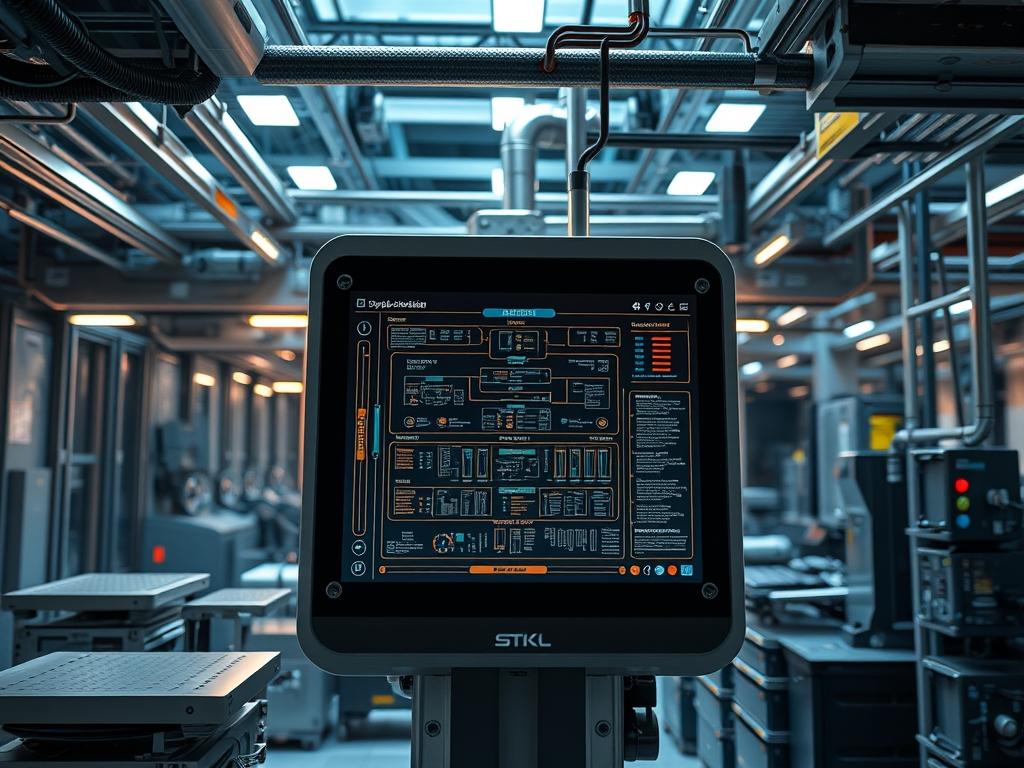
Outdoor kiosk hardware data systems represent the critical intersection of edge computing and public-facing infrastructure. These units function as the primary telemetry nodes within broader smart city environments; facilitating the exchange of data between localized sensors and centralized cloud management layers. Whether deployed for municipal energy monitoring, public transit information, or secure payment gateways, the architectural integrity of the kiosk is defined by its ability to process high-frequency outdoor kiosk hardware data under extreme environmental stressors. The central problem in these deployments is the volatility of the operating environment: specifically solar loading and internal heat stagnation.
The solution requires a multi-layered approach that prioritizes thermal-inertia management alongside data encapsulation protocols. High-performance kiosks must be configured to transition between active and passive cooling states while maintaining a steady throughput of sensor information. Failure to synchronize the thermal management logic with the computing payload results in rapid component degradation and unpredictable latency during peak usage hours. This manual provides the technical framework for auditing and deploying these systems; ensuring that every packet-loss event is mitigated through robust hardware handshakes and localized edge-processing algorithms.
TECHNICAL SPECIFICATIONS
| Requirements | Default Port/Operating Range | Protocol/Standard | Impact Level (1-10) | Recommended Resources |
| :— | :— | :— | :— | :— |
| Thermal Sensing | -40C to +85C | Modbus-RTU / I2C | 9 | NTC Thermistors / Shielded Wiring |
| Data Telemetry | Port 8883 (Secure) | MQTT / TLS 1.3 | 8 | 8GB LPDDR4 RAM / Quad-Core ARM |
| Power Management | 12V – 24V DC | IEEE 802.3at (PoE+) | 7 | Industrial Surge Protector |
| RF Connectivity | 2.4GHz / 5.8GHz / 5G | 802.1ax (Wi-Fi 6) | 6 | Low-Loss LMR-400 Cabling |
| Enclosure Grade | NEMA 4X / IP66 | UL 508A | 10 | 316 Stainless Steel / Polycarbonate |
THE CONFIGURATION PROTOCOL
Environment Prerequisites:
Successful deployment of the kiosk data stack requires a synchronized software and hardware baseline. The central processing unit must support the x86_64 or ARMv8 instruction set with integrated virtualization for containerized applications. Operating systems must be limited to Long Term Support (LTS) distributions such as Ubuntu 22.04 LTS or RHEL 9, ensuring that the kernel version supports modern thermal drivers (Kernel 5.15+). Hardware dependencies include an RS-485 interface for environment controller communication and a certified M.2 NVMe storage module with a high Mean Time Between Failures (MTBF). All technician access requires Root/Sudo privileges and local physical access via USB-C console debug ports.
Section A: Implementation Logic:
The engineering design of the kiosk hardware focuses on the mitigation of thermal run-away through a proactive PID (Proportional-Integral-Derivative) control loop. The “Why” behind this configuration is grounded in the physics of thermal-inertia. Standard enclosures act as heat sinks that, once saturated, require significant energy to cool. Therefore, the implementation logic dictates that hardware throttling and active fan engagement must begin before reaching the critical T-junction temperature of the CPU. By utilizing an idempotent configuration management tool, the system ensures that thermal thresholds and network throughput limits remain consistent across the entire fleet; regardless of individual unit age or local geographical variances. This structural consistency reduces the overhead of remote monitoring and simplifies the encapsulation of diagnostic data for cloud reporting.
Step-By-Step Execution
1. Hardware Initialization and Bus Validation
Beginning with the physical layer, the technician must verify the integrity of the communication buses using a fluke-multimeter to ensure voltage stability at the GPIO pins. Once power is verified, execute the utility i2cdetect -y 1 to confirm that the thermal sensors are visible to the system kernel.
System Note: This action establishes the low-level link between the hardware and the OS; verifying that the physical address of the sensor is mapped correctly within the /dev tree.
2. Kernel Thermal Driver Configuration
Access the kernel parameters by editing /etc/modules and adding the specific driver for the onboard thermal controller (e.g., lm90 or w83627hf). After rebooting, run the command sensors-detect to calibrate the mathematical offsets for the NTC thermistors.
System Note: Loading these drivers enables the kernel to poll the hardware directly; reducing the computational overhead associated with user-space polling and allowing for sub-millisecond response times to heat spikes.
3. Network Throughput and Encapsulation Setup
Configure the primary network interface located at /etc/netplan/01-netcfg.yaml. Implement a Maximum Transmission Unit (MTU) of 1500 bytes to prevent fragmentation of the outdoor kiosk hardware data packets. Apply the configuration using sudo netplan apply.
System Note: Proper MTU alignment ensures that the data payload is optimized for the upstream gateway; minimizing latency and preventing unnecessary CPU cycles spent on reassembling fragmented frames in high-heat environments.
4. Active Cooling Control Logic
Install the management daemon using sudo apt install fancontrol. Configure the configuration file at /etc/fancontrol to map the CPU temperature sensor to the PWM (Pulse Width Modulation) fan header. Set the minimum start temperature to 35C and the maximum throttle temperature to 65C.
System Note: This command creates a localized feedback loop governed by the systemd service manager; ensuring that cooling is managed as a priority process with high concurrency protections.
Section B: Dependency Fault-Lines:
The most common point of failure in outdoor hardware involves the conflict between the Modbus polling frequency and the system latency. If the kiosk software attempts to poll sensors faster than the bus can respond, it creates a serial bottleneck that locks the I/O thread. Furthermore, mechanical bottlenecks frequently occur when high-gain antennas are mounted too close to the metallic chassis; leading to significant signal-attenuation. Verify that all external connections use straight quotes in their configuration scripts and that no special characters interfere with the serial string termination. Ensure that the uxtheme or similar GUI libraries do not create a memory leak that increases CPU load and, by extension, thermal output.
THE TROUBLESHOOTING MATRIX
Section C: Logs & Debugging:
When a system failure is detected, the primary diagnostic path begins at /var/log/syslog and /var/log/kern.log. Look specifically for “Thermal Throttling Activated” or “I/O Error: Connection Timed Out” strings. If the hardware is unresponsive, use a logic-controller to probe the TX/RX lines on the motherboard to determine if the failure is at the application layer or the physical silicon.
For signal issues, execute nmcli dev wifi show to audit the current signal strength (RSSI). If the value is below -75dBm, the system is suffering from signal-attenuation, likely caused by environmental interference or improper antenna orientation. Monitor the packet-loss metrics via mtr -n [target_ip] to identify if the bottleneck exists at the local router or the upstream ISP. Physical visual cues, such as a red LED on the Peltier module or the internal power supply, usually correspond to a voltage drop below 11.4V.
OPTIMIZATION & HARDENING
Performance Tuning:
To maximize throughput, the system should be tuned for high concurrency. Modify the sysctl.conf file to increase the maximum number of open file descriptors and adjust the TCP window size. Set net.core.rmem_max and net.core.wmem_max to 16777216 to allow the kiosk to handle bursts of data from multiple peripheral sensors without dropping the payload.
Security Hardening:
Physical and digital security are interdependent in outdoor kiosks. Apply restrictive chmod permissions to all sensitive configuration files, specifically chmod 600 /etc/shadow and chmod 600 /etc/mqtt_creds. Implement an iptables firewall that drops all incoming traffic except for the necessary maintenance ports. Ensure that the storage partition is encrypted using LUKS, preventing data theft if the unit is physically breached.
Scaling Logic:
As the kiosk network grows, use a containerized deployment strategy (e.g., Docker or Podman). This allows for idempotent updates across thousands of units simultaneously. By abstracting the hardware layer through a standard API, you can swap different motherboard or sensor brands while keeping the core data processing logic identical; thereby reducing the long-term maintenance overhead.
THE ADMIN DESK
How do I reduce signal-attenuation in metal enclosures?
Ensure all antennas are mounted externally using N-Type connectors. Use low-loss cabling and verify that the internal RF Shielding is properly grounded to the enclosure chassis. This prevents internal interference and minimizes packet-loss during transmission.
What is the fastest way to check thermal-inertia trends?
Review the historical logs at /var/log/thermal_history.csv. Use the tail -f command during peak solar hours to see how quickly the internal temperature rises relative to the fan speed increase.
Why is my throughput dropping during mid-day?
The system is likely engaging in thermal throttling. When the CPU exceeds its safe operating temperature, the kernel reduces the clock speed; increasing latency and decreasing the amount of data the system can process per second.
How do I ensure idempotent updates for 500 kiosks?
Utilize an orchestration tool like Ansible. Define your hardware state in a YAML playbook and push the configuration via SSH. This ensures every kiosk has the exact same thermal thresholds and network settings without manual intervention.
What causes periodic Modbus timeout errors?
This is usually a result of electrical noise or poor encapsulation of the serial data. Verify that all communication lines are shielded and that the RS-485 termination resistor is correctly placed at the end of the bus.

